-
Shop
- Advanced Technologies
- AI Career Advantage Collection
- AI Skills Mastery 2026 Collection
- Beauty
- Best-Sellers
- Car Accessories
- Car Buying & Ownership
- Dating & Social Confidence
- Dating & Social Skills
- Denim
- 7FOR
- AGOLDE
- Antony Morato
- Armani Exchange
- Boss
- Brunello Cucinelli
- Calvin Klein Jeans
- Costume National
- Desigual
- Diesel
- Dolce & Gabbana
- Dsquared²
- Ermanno Scervino
- Fendi
- Gianni Lupo
- Guess Jeans
- Ichi
- Just Cavalli
- Lee
- Levi's
- Liu Jo
- Morgan De Toi
- Mother Denim
- Only
- Pepe Jeans
- Pinko
- Replay
- Valentino
- Vero Moda
- Digital Resources
- Education & Learning
- Family & Parenting
- Fashion
- Fashion Accessories
- Financial Education
- Gadgets
- Health & Beauty
- Health & Wellness
- Home & Garden
- Home Decor
- Home Styling & Organization
- Home Supplies
- Kids & Babies
- Kitchen
- Patio, Lawn & Garden
- Personal Growth
- Pet Care
- Pet Supplies
- Pets
- Sport & Outdoors
- Super Deals
- Wealth Building
- Budgeting & Saving
- Cryptocurrency Investing
- Debt Management
- Entrepreneurship & Business Growth
- Family Finance & Budgeting
- Financial Independence
- Financial Mindset & Psychology
- Financial Planning
- Frugal Living & Expense Hacks
- Goal Setting
- High-Income Skills
- Investing Basics
- Leadership
- Motivation
- Networking & Mentorship
- Passive Income Strategies
- Real Estate Investing
- Side Hustles
- Stock Market Investing
- Popular
- Best deals
Wired Gaming Headset with Mic: Setup, Comfort, Clarity
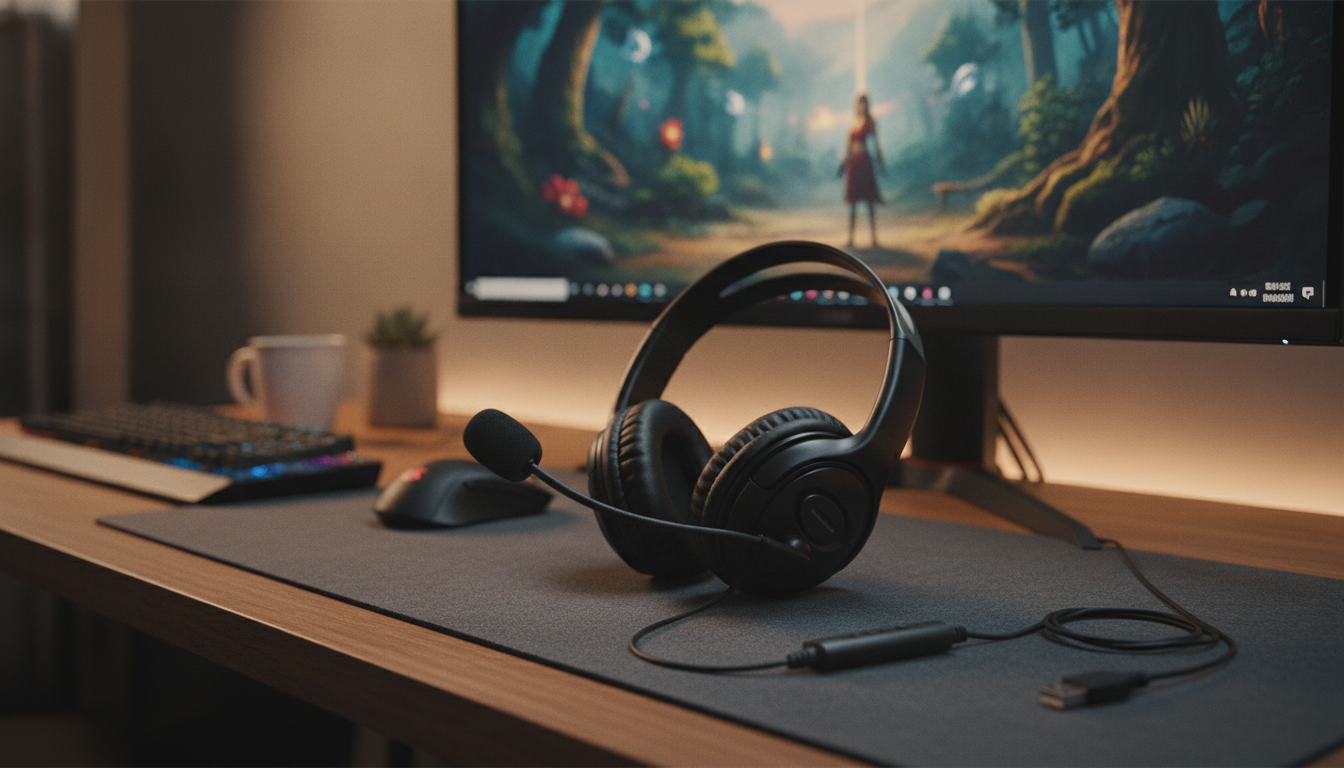
Wired Gaming Headset with Microphone: Clear Audio, Reliable Chat, and Easy Setup
A wired gaming headset keeps game audio and voice chat steady without pairing steps, charging schedules, or sudden wireless hiccups. For everyday play and competitive matches alike, the best experience comes from a mix of stable connection, comfortable fit, and a mic that stays intelligible even when the action gets loud. Below is a practical guide to what matters most—plus quick setup tips and an at-a-glance product snapshot.
What a Good Wired Gaming Headset Should Deliver
Wired headsets earn their reputation with simple, dependable performance. When comparing options, focus on the core experience you’ll notice every session:
- Consistent connection: A direct plug-in path for audio and chat means fewer variables—no pairing menus and no battery management.
- Clear microphone pickup: Teammates should understand callouts the first time, even with explosions, music, or a mechanical keyboard nearby.
- Comfort over hours: Look for headband padding, soft ear cushions, and a clamp that feels secure without creating hotspots.
- Practical controls: Inline volume and a quick mute switch are especially helpful in team lobbies and streaming-friendly setups.
- Device compatibility: The right plug type (and any needed adapters) matters as much as sound quality.
Quick Compatibility Check (Before Buying)
Compatibility checklist
| Device | Most common headset plug | May need |
|---|---|---|
| PC (desktop) | Dual 3.5 mm or USB | TRRS splitter if PC has separate jacks |
| PC (laptop) | Single 3.5 mm TRRS or USB | Splitter only if laptop has separate jacks |
| PlayStation / Xbox controller | Single 3.5 mm TRRS | None in most cases |
| Nintendo Switch (handheld) | Single 3.5 mm TRRS | Mic support can vary by game/app |
| Phone/Tablet | Single 3.5 mm TRRS | USB-C/Lightning audio adapter if no 3.5 mm port |
Sound and Mic Features That Make a Difference
- Driver tuning: Balanced mids help footsteps, reloads, and dialogue stand out. Heavy bass can be fun for single-player, but it may cover subtle cues in competitive play.
- Closed-back vs. open-back: Closed-back designs typically isolate better and keep sound in. Open-back can feel wider and more natural, but it leaks audio and lets more room noise in.
- Microphone style: A boom mic usually captures speech more clearly than an inline mic because it sits closer to your mouth.
- Noise handling: Even without advanced processing, a well-positioned mic and a simple windscreen can reduce plosives and breath noise.
- PC settings matter: Selecting the right input device, setting mic gain, and choosing noise suppression carefully can improve clarity without making your voice sound “robotic.” For app-level troubleshooting, Discord’s guidance is a solid reference: Discord Support — Voice and Video.
Comfort and Build: What to Look For in Daily Use
Easy Setup Tips for PC and Console
- PC system settings: Set the headset as the default output device and the headset microphone as the default input device in your sound settings.
- Voice chat apps: Confirm the correct input device, set a sensible input volume, and run a short test recording or built-in test call.
- Console: Plug into the controller first, then confirm that chat/audio is routed to the headset in console settings. For general console audio guidance, start here: PlayStation Support.
- If teammates report echo: Lower headset volume, try push-to-talk when available, and ensure the mic isn’t pointing directly at the earcup.
- If the mic is quiet: Move the mic closer to the corner of your mouth (not directly in front) and raise input gain gradually to avoid hiss.
Product Snapshot: Wired Gaming Headset with Microphone
If you want a straightforward wired option for game audio and voice chat, the Wired Gaming Headset with Microphone is a budget-friendly pick to consider. Before checkout, verify the connector type for your device (PC vs. console vs. mobile) and whether you’ll need a splitter or adapter.
At-a-glance details
| Item | Details |
|---|---|
| Name | Wired Gaming Headset with Microphone |
| Price | $16.51 USD |
| Availability | In stock |
| Product page | https://elixirie.com/wired-gaming-headset-with-microphone/ |
More In-Stock Picks for Comfort and Setup
- Cute Cartoon Vanity Stool – Modern Minimalist Portable Shoe Changing Chair for a simple extra seat in a compact room or shared space.
- Only Women’s Classic Blue Jeans for a comfortable everyday option when you’re settling in for casual play.
- Nordic Turnip Bear Floor Sculpture with Tray as a fun side-table/tray piece for controllers, cables, or small accessories near your desk.
Getting the Best Results: Audio Safety and Care
- Keep volume at a comfortable level: Long sessions at high volume can increase hearing risk. OSHA’s overview is a helpful reference point for safe listening awareness: OSHA — Occupational Noise Exposure.
- Unplug safely: Grip the connector, not the wire, to protect the cable and strain relief.
- Clean periodically: Wipe down ear cushions and headband contact points to maintain comfort and hygiene.
- Store with a loose coil: Avoid tight wraps that kink the cable and stress the plug.
FAQ
Will a wired gaming headset with microphone work on both PC and console?
Often yes, but it depends on the plug type and your device’s ports. Single 3.5 mm TRRS commonly works with controllers and many laptops, while desktop PCs may need a splitter if they have separate headphone and mic jacks.
Why does my headset mic sound muffled or too quiet?
Check that the correct input device is selected, raise mic gain gradually, and make sure the plug is fully seated. Position the mic near the corner of your mouth and use noise suppression only if it doesn’t over-filter your voice.
Does a wired headset reduce audio delay compared to wireless?
In many setups, a wired connection avoids extra transmission and processing steps that can add latency. Perceived delay still depends on the device, game, and audio settings.
Recommended for you
AI Fairness in Hiring: Bias Risks and Best Practices
Jul 20, 2026
70-Inch Wooden Heavy-Duty Indoor Dog Crate: 2 Dogs
Jul 20, 2026













Leave a comment