-
Shop
- Advanced Technologies
- AI Career Advantage Collection
- AI Skills Mastery 2026 Collection
- Beauty
- Best-Sellers
- Car Accessories
- Car Buying & Ownership
- Dating & Social Confidence
- Dating & Social Skills
- Denim
- 7FOR
- AGOLDE
- Antony Morato
- Armani Exchange
- Boss
- Brunello Cucinelli
- Calvin Klein Jeans
- Costume National
- Desigual
- Diesel
- Dolce & Gabbana
- Dsquared²
- Ermanno Scervino
- Fendi
- Gianni Lupo
- Guess Jeans
- Ichi
- Just Cavalli
- Lee
- Levi's
- Liu Jo
- Morgan De Toi
- Mother Denim
- Only
- Pepe Jeans
- Pinko
- Replay
- Valentino
- Vero Moda
- Digital Resources
- Education & Learning
- Family & Parenting
- Fashion
- Fashion Accessories
- Financial Education
- Gadgets
- Health & Beauty
- Health & Wellness
- Home & Garden
- Home Decor
- Home Styling & Organization
- Home Supplies
- Kids & Babies
- Kitchen
- Patio, Lawn & Garden
- Personal Growth
- Pet Care
- Pet Supplies
- Pets
- Sport & Outdoors
- Super Deals
- Wealth Building
- Budgeting & Saving
- Cryptocurrency Investing
- Debt Management
- Entrepreneurship & Business Growth
- Family Finance & Budgeting
- Financial Independence
- Financial Mindset & Psychology
- Financial Planning
- Frugal Living & Expense Hacks
- Goal Setting
- High-Income Skills
- Investing Basics
- Leadership
- Motivation
- Networking & Mentorship
- Passive Income Strategies
- Real Estate Investing
- Side Hustles
- Stock Market Investing
- Popular
- Best deals
AI in Job Interviews: ATS, Video Screens, and Prep Tips
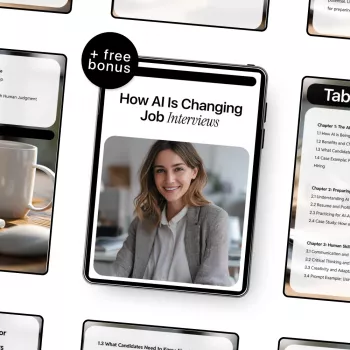
Job interviews are increasingly shaped by software that screens resumes, schedules conversations, analyzes video responses, and ranks candidates. Understanding where AI shows up—and how to prepare for it—helps candidates present skills clearly, avoid common screening pitfalls, and make better decisions about roles and employers.
What “AI in hiring” usually means (and what it doesn’t)
“AI in hiring” is often a mix of tools working behind the scenes: resume parsing, candidate matching, chat-based pre-screens, interview scheduling automation, skills tests, and structured scoring dashboards. Some of these steps are true machine learning (ranking, pattern detection), while others are straightforward automation (filters, mandatory “knockout” questions, routing).
Even when AI is involved, human decision points still exist. Recruiters and hiring managers typically decide who moves forward, but software can heavily influence who gets seen first—or filtered out before a human ever reviews the application. That’s why small details like formatting, wording, and test performance can determine whether a profile is viewed as “qualified” at the top of a list or buried in the middle.
Where AI shows up across the interview process
AI-assisted hiring can appear at almost every stage. Before interviews, applicant tracking systems (ATS) parse resumes and group candidates by role fit. Pre-screening might happen through a chatbot or form that collects availability, salary expectations, work authorization, and role-specific requirements. Then come assessments—coding tests, work samples, or timed evaluations—often scored automatically or flagged for review if something looks inconsistent.
One-way video interviews are another common checkpoint. They standardize questions and make it easier for teams to review responses. Some vendors claim to analyze speech or behavior; whether that’s used (and how) varies by employer and location. After interviews, structured scorecards, rubric-based scoring, and AI note summaries can help teams compare candidates consistently.
Interview stages, typical AI tools, and candidate best moves
| Stage | What AI may do | What to do as a candidate |
|---|---|---|
| Application/ATS | Parse sections, detect skills, rank by match signals | Use clear headings, consistent job titles, and a skills section aligned to the role |
| Knockout questions | Auto-reject based on required criteria | Answer precisely; confirm eligibility and availability before applying |
| Assessments | Auto-score tasks; flag patterns or thresholds | Practice role-relevant tasks; simulate time limits; read instructions carefully |
| One-way video | Standardize Qs; sometimes auto-transcribe for review | Optimize lighting/audio; answer with a clear structure; keep examples measurable |
| Live interview | Support interviewers with rubrics and note summaries | Tie answers to role outcomes; ask targeted questions; close with impact and next steps |
Resume and application tactics that work with ATS (without sounding robotic)
ATS-friendly doesn’t mean “stiff.” It means easy to parse and easy to trust. Prioritize clarity over design: simple fonts, standard headings (Experience, Skills, Education), and clean formatting make it more likely your resume is read correctly. Avoid text boxes, multiple columns, heavy graphics, and information hidden in headers/footers—common causes of missing dates, scrambled job titles, and invisible keywords.
Mirror role language thoughtfully. If the job description says “customer lifecycle” and that’s what you did, use that wording. If it says “stakeholder management” and you worked with Sales, Legal, and Finance, say so. The goal is accuracy and alignment, not repetition. Make skills verifiable by pairing them with proof: scope, metrics, tools, and outcomes. A short Skills section helps matching, but the Experience bullets should do the convincing.
Job-title alignment also matters. When your internal title doesn’t match the market, a truthful parenthetical can reduce confusion (example: “Operations Specialist (Project Coordinator)”). It helps both algorithms and humans understand the level and lane you’re targeting.
Preparing for AI-assisted interviews: structure beats improvisation
In structured hiring, consistent evidence wins. Build a “story bank” of 6–10 examples that cover conflict, leadership, learning speed, ambiguity, technical depth (if relevant), and customer impact. When prompts are standardized across candidates, wandering answers are punished by the rubric even if you’re capable.
Use a repeatable framework like STAR (Situation, Task, Action, Result) or CAR (Challenge, Action, Result). Add one maturity line—“What I’d do differently next time”—to show reflection and growth. Practice concise delivery: 60–90 seconds for behavioral questions is a strong target, and when time is tight, lead with the result to anchor your value before details.
One-way video and automated screening: practical setup and performance tips
Fairness, privacy, and what candidates can ask
For deeper context on fairness and risk practices, review public resources like the EEOC, the NIST AI Risk Management Framework, and SHRM.
Future-ready job search habits for an AI-shaped market
A practical guide for navigating AI hiring and interview prep
For a focused, job-seeker-friendly resource, see How AI is Changing Job Interviews – Smart Career Guide to AI Hiring, Interview Prep & Future-Ready Job Search.
To support your overall interview presentation and setup, these in-stock items may also help: Only Women’s Classic Blue Jeans (a reliable option for casual-to-smart interview dress codes) and Cute Cartoon Vanity Stool – Modern Minimalist Portable Shoe Changing Chair (a compact seat option for stable, comfortable video practice).
FAQ
Do companies really use AI to decide who gets an interview?
Often, AI supports screening and ranking rather than making a final decision. ATS parsing, knockout questions, and assessments can act as gates, but recruiters and hiring managers typically choose who advances.
How can a resume be optimized for ATS without stuffing keywords?
Use clean formatting, standard headings, and role-aligned terminology that accurately reflects your experience. Add a Skills section, then prove those skills with specific, measurable outcomes in your Experience bullets.
What should be asked about AI, privacy, and scoring during the hiring process?
Ask whether AI is used in screening, what criteria are evaluated, and whether a human reviews results. Also ask what data is stored (including video/transcripts), how long it’s retained, how to request accommodations, and how to address errors or request reconsideration.
Recommended for you

Calvin Klein Jeans in 2026: Quality, Fit, Value
Aug 1, 2026













Leave a comment