-
Shop
- Advanced Technologies
- AI Career Advantage Collection
- AI Skills Mastery 2026 Collection
- Beauty
- Best-Sellers
- Car Accessories
- Car Buying & Ownership
- Dating & Social Confidence
- Dating & Social Skills
- Denim
- 7FOR
- AGOLDE
- Antony Morato
- Armani Exchange
- Boss
- Brunello Cucinelli
- Calvin Klein Jeans
- Costume National
- Desigual
- Diesel
- Dolce & Gabbana
- Dsquared²
- Ermanno Scervino
- Fendi
- Gianni Lupo
- Guess Jeans
- Ichi
- Just Cavalli
- Lee
- Levi's
- Liu Jo
- Morgan De Toi
- Mother Denim
- Only
- Pepe Jeans
- Pinko
- Replay
- Valentino
- Vero Moda
- Digital Resources
- Education & Learning
- Family & Parenting
- Fashion
- Fashion Accessories
- Financial Education
- Gadgets
- Health & Beauty
- Health & Wellness
- Home & Garden
- Home Decor
- Home Styling & Organization
- Home Supplies
- Kids & Babies
- Kitchen
- Patio, Lawn & Garden
- Personal Growth
- Pet Care
- Pet Supplies
- Pets
- Sport & Outdoors
- Super Deals
- Wealth Building
- Budgeting & Saving
- Cryptocurrency Investing
- Debt Management
- Entrepreneurship & Business Growth
- Family Finance & Budgeting
- Financial Independence
- Financial Mindset & Psychology
- Financial Planning
- Frugal Living & Expense Hacks
- Goal Setting
- High-Income Skills
- Investing Basics
- Leadership
- Motivation
- Networking & Mentorship
- Passive Income Strategies
- Real Estate Investing
- Side Hustles
- Stock Market Investing
- Popular
- Best deals
ATS-Friendly Resume Formatting Checklist for AI Screening
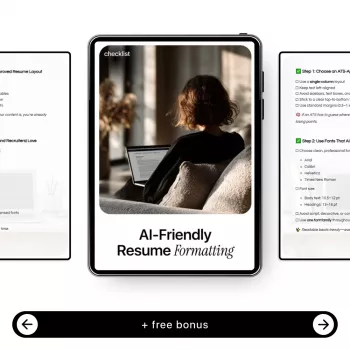
AI-Friendly Resume Formatting Checklist for ATS-Approved Layouts
A strong resume can still get filtered out if the layout confuses screening software. This guide focuses on formatting choices that help applicant tracking systems (ATS) and AI screening tools accurately read, score, and route a resume—without sacrificing a clean, professional look. If you want a ready-to-use, repeatable reference you can follow each time, see the AI-Friendly Resume Formatting Checklist.
What “AI-Friendly” Resume Formatting Means
“AI-friendly” formatting is less about fancy design and more about predictable structure. Screening tools convert your document into data fields—then score it against the job requirements. Good formatting helps that conversion happen accurately.
- Readable structure: consistent headings, predictable section order, and simple alignment so parsers map content correctly.
- Machine-safe text: real text (not embedded in images) with standard characters and minimal visual tricks.
- Low ambiguity: clear job titles, dates, and employer names formatted in a way software can separate into fields.
- Human clarity still matters: a layout that is easy for recruiters to scan after the ATS pass.
ATS-Approved Layout Basics (Start Here)
If you want the highest parsing reliability across different platforms, keep the layout conservative and consistent.
- Use a single-column layout for highest parsing reliability; avoid multi-column templates and sidebars.
- Place contact info at the top in plain text (name, phone, email, location, LinkedIn/portfolio).
- Use standard section headings: Summary, Skills, Experience, Education, Certifications, Projects.
- Keep a consistent reverse-chronological order for Experience and Education.
- Use simple bullet points (• or –) and keep bullets aligned consistently.
- Avoid text boxes, floating shapes, charts, icons, and decorative lines that can break parsing.
Formatting choices that typically help or hurt ATS parsing
| Element | ATS-safe choice | Risky choice |
|---|---|---|
| Layout | Single column, left-aligned | Two columns, sidebar, split page |
| Section headers | Standard words (Experience, Education) | Creative labels (Where I’ve Been, My Story) |
| Bullets | Simple bullet characters | Custom symbols, checkmarks, emojis |
| Dates | Jan 2023 – May 2025 (consistent) | 03/2023–05/25 mixed styles, right-floating dates |
| Visual elements | None or minimal | Icons, charts, skill bars, images |
| Tables | Avoid when possible; if used, keep very simple | Complex tables, nested tables, hidden borders |
| File type | PDF (when allowed) or .docx | Scanned PDF, image-based PDF |
Fonts, Spacing, and Visual Hierarchy That Parse Cleanly
A clean visual hierarchy helps both machines and humans. The goal is predictable rendering across devices and systems.
- Choose common fonts that render predictably: Calibri, Arial, Helvetica, Times New Roman, Georgia.
- Use 10.5–12 pt body text; headings 13–16 pt; avoid tiny text to “fit more.”
- Set line spacing around 1.0–1.15 and keep consistent spacing between sections.
- Use bold for headings and job titles; avoid heavy use of italics or underlines.
- Stick to black/dark gray text on a white background for maximum contrast and printing reliability.
- Use standard margins (0.5–1 inch) and ensure nothing important sits in headers/footers.
Section-by-Section Formatting Checklist (Practical and Fast)
Think of each resume section as a data block: a label (heading) and a predictable format. Consistency increases parsing accuracy and makes recruiter scanning faster.
Header
- Name on the first line; contact details on one or two lines.
- Include a clean LinkedIn URL (no tracking parameters).
- Use text labels like “Email:” and “Phone:” instead of icons.
Summary
- Keep it to 2–4 lines max; avoid dense paragraphs.
- Match role focus and seniority (for example, “Customer Success Manager” vs. “CSM Leader”).
Skills
- Use a simple list or grouped categories (e.g., Data: SQL, Python | Tools: Tableau).
- Avoid rating bars (like “Excel 90%”) and visual meters.
Experience
- Each role should clearly show Job Title, Company, Location (optional), Dates.
- Add 3–6 bullets focused on outcomes; keep each bullet to 1–2 lines when possible.
- Start bullets with action verbs and include numbers where real (time saved, revenue, volume, error reduction).
Education and Certifications
- Use consistent date formatting and official credential names.
- Include license numbers only when required (and place them on the same line as the credential).
File Format, Naming, and Submission Details
- Follow the employer’s instructions first; if unclear, .docx is often the safest for ATS parsing, while PDF is often best for visual consistency.
- Avoid scanned PDFs; they can turn text into an image and reduce parsing accuracy.
- Use a simple filename: FirstName_LastName_Resume.pdf (or .docx).
- Turn off “track changes” and accept all edits before exporting.
- Before uploading, copy/paste the resume into a plain text editor to confirm the reading order stays logical.
Helpful references: Indeed’s resume format guide, SHRM career resources, and Microsoft’s steps for saving Word to PDF.
Common Formatting Mistakes That Lower Match Scores
Quick Pre-Submit Audit (2 Minutes)
Using a Repeatable Checklist to Format Faster
If you want a compact, step-by-step reference you can run before every upload, the AI-Friendly Resume Formatting Checklist is built for quick audits. For interview-day polish beyond the document itself, consider pairing prep with wardrobe basics like Only Women’s Classic Blue Jeans, and a comfortable home setup for applications and practice calls like the Cute Cartoon Vanity Stool – Modern Minimalist Portable Shoe Changing Chair.
FAQ
Is PDF or Word better for ATS resumes?
Follow the application instructions first. When it’s not specified, .docx is often the safest for parsing, while a text-based (not scanned) PDF usually works well if the reading order stays clean when copy/pasted into plain text.
Do columns and two-page designs confuse ATS software?
Single-column layouts are the most reliable because columns can cause text to be extracted in the wrong order. Two pages are typically fine for experienced candidates as long as section headings and formatting are consistent throughout.
Are tables, icons, and graphics ever safe on a resume?
Icons and graphics frequently reduce parsing accuracy because they replace readable text. Tables can work only when extremely simple, but plain text with standard headings is the most dependable approach across ATS platforms.















Leave a comment